
Shopping Cart
There are no more items in your cart














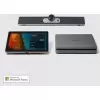
Microsoft Teams Rooms • Ireland
Microsoft Teams Rooms
Purpose-built meeting rooms running Teams natively — one touch to join, certified hardware, zero laptop dependency. We design, supply and install across Ireland.
1-Touch
Join any Teams meeting instantly
Certified
Microsoft-certified hardware only
Any Size
Huddle rooms to large boardrooms
Full Install
Supply, fit and configure Ireland
What is a Microsoft Teams Room?
A Microsoft Teams Room (MTR) is a dedicated meeting room system that runs the Teams platform natively on certified hardware. Unlike a laptop-based setup, an MTR is always on, always ready, and joins meetings with a single tap — no cables, no login screens, no "can everyone see my screen?"
The room has its own Teams account. Meetings are scheduled through Outlook or Teams like normal — the room appears as a resource that people invite. When a meeting starts, the room joins automatically or with one button press.
This is what hybrid working looks like when it actually works. Remote participants see and hear the room clearly. In-room people aren't stuck squinting at a laptop screen in the corner. Every meeting starts on time.
MTR vs Laptop Setup
✓ Always ready — no login required
✓ One-touch join from calendar
✓ Consistent camera & audio quality
✓ Managed centrally via Teams Admin
✓ Supports BYOD content sharing
✓ Works with any Teams meeting
Which System Fits Your Room?
Room size, table layout and expected headcount all influence which hardware is right. Here is a practical starting point.
Huddle Space
2–4 people • up to 25m²
• All-in-one meeting bar
• Single display
• Touch controller optional
Yealink A20 or MAXHUB XCore Kit
Mid-Size Meeting Room
5–10 people • 25–50m²
• Compute unit + camera bar
• Dual display option
• Wireless content sharing
MAXHUB XT10 Kit + WPP30
Boardroom / Large Space
10–20+ people • 50m²+
• PTZ or wide-angle camera
• Large-format display
• Ceiling mic arrays
MAXHUB UW105 or Meeting Board
Teams Room Hardware We Supply
Every product below is Microsoft Teams Rooms certified. Prices include VAT and are available to order online or via quote.
Yealink
A20-010 Meeting Bar
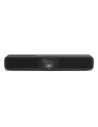
All-in-one bar for huddle rooms. 133° FOV camera, built-in mic array, runs Teams natively. Clean install, no compute unit needed.
€1,375
View ProductYealink
Meeting Board
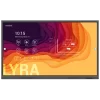
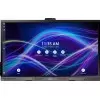
Interactive flat panel with Teams Rooms built in. Camera, mic, speakers and touch display in one unit — ideal for collaborative rooms.
€3,312
View ProductMAXHUB
XCore Kit
Intel 12th Gen i3 compute unit + Teams Rooms licence ready. Flexible display pairing. Good entry-level MTR for small to mid rooms.
€1,118
View ProductMAXHUB
XT10-VB Kit
XCore compute unit bundled with the UC S07 Videobar. Complete plug-and-play Teams Room for mid-size spaces. Ideal BYOD upgrade too.
€1,624
View ProductYealink
WPP30 Wireless Presenter
USB-C dongle for wireless content sharing in Teams Rooms. Staff plug in and present instantly — no software install required.
€320
View ProductMAXHUB
UW105NA Commercial Display
105” ultra-wide commercial display for large boardrooms and open spaces. High-impact visual presence for executive environments.
€11,693
View ProductTeams Rooms Licensing
Microsoft Teams Rooms requires a Teams Rooms Basic (free, limited) or Teams Rooms Pro licence per room device, separate to your standard M365 user licences. We can advise on the right licence tier and work with your IT team or Microsoft partner during setup. Ask us when requesting a quote.
How We Install a Teams Room
We handle everything from initial survey to handover. Most installs complete in a day.
1
Survey & Design
We assess room dimensions, acoustics, display angles and cabling routes
2
Hardware Supply
We source and deliver all certified Teams Room hardware and accessories
3
Installation
Mounting, cabling, display commissioning and room account setup
4
Handover & Training
We walk your team through the system and leave everything working from day one
Common Questions
Ready to Build Your Teams Room?
Tell us about your space and we will recommend the right hardware, handle the installation, and get your room running — from one huddle space to a full office rollout.